openclaw-not-endpoint
10 张图片 baoyuOutline
---
strategy: a-expanded
name: Story-Driven Expanded (完整叙事版)
style: warm
style_reason: "暖色调强化真诚分享感,配合原文脉络逐步展开"
elements:
background: solid-pastel
decorations: [clouds, stars-sparkles]
emphasis: star-burst
typography: highlight
layout: balanced
image_count: 10
---
## Image 1 of 10
**Position**: Cover
**Layout**: sparse
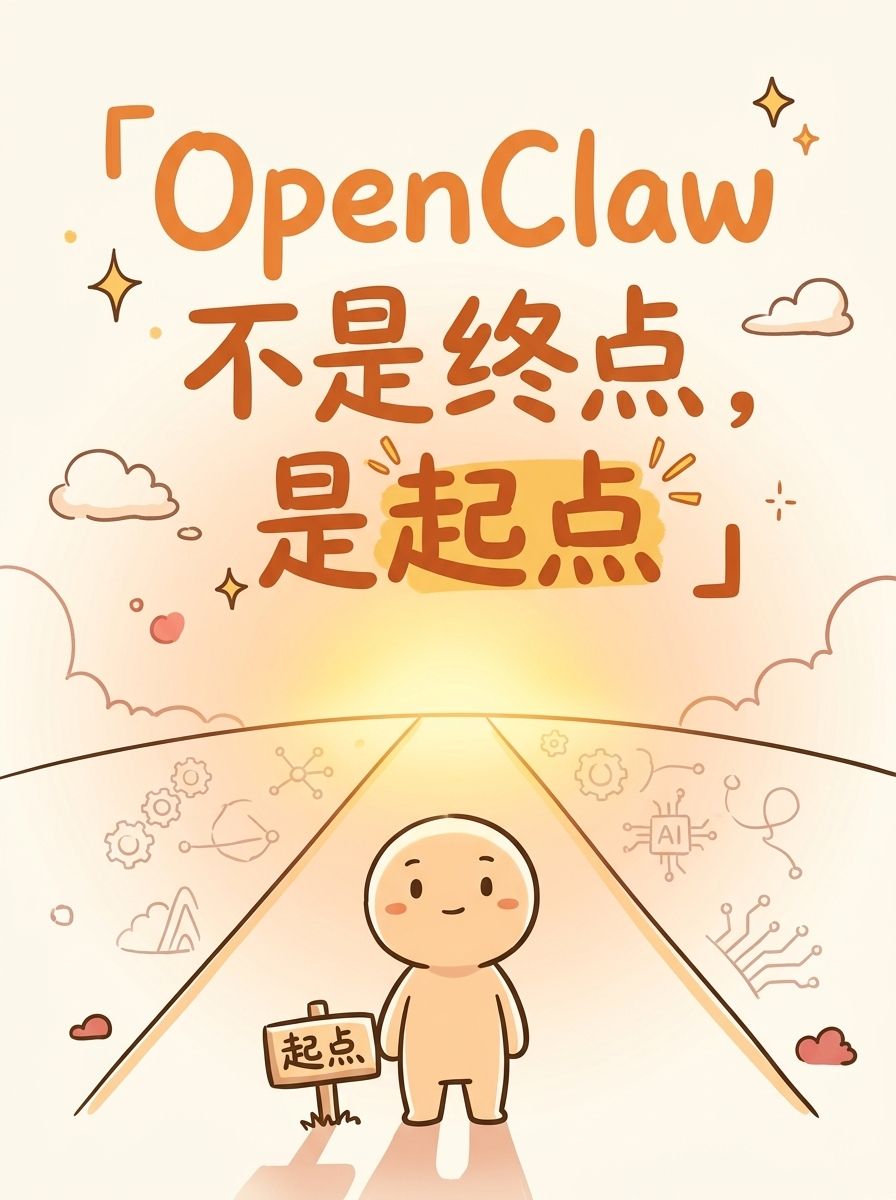
**Hook**: OpenClaw 不是终点,是起点
**Slug**: cover
**Filename**: 01-cover.png
**Text Content**:
- Title: 「OpenClaw 不是终点,是起点」
- Tag: #AI认知升级
**Visual Concept**:
暖色奶茶背景,一个小人站在一条路的起点
前方道路延伸,路上有温暖的光
起点标志牌,远处模糊的科技元素
氛围:温暖、有希望、往前看
---
## Image 2 of 10
**Position**: Content
**Layout**: sparse
**Core Message**: 很多人纠结的点
**Slug**: anxiety
**Filename**: 02-content-anxiety.png
**Text Content**:
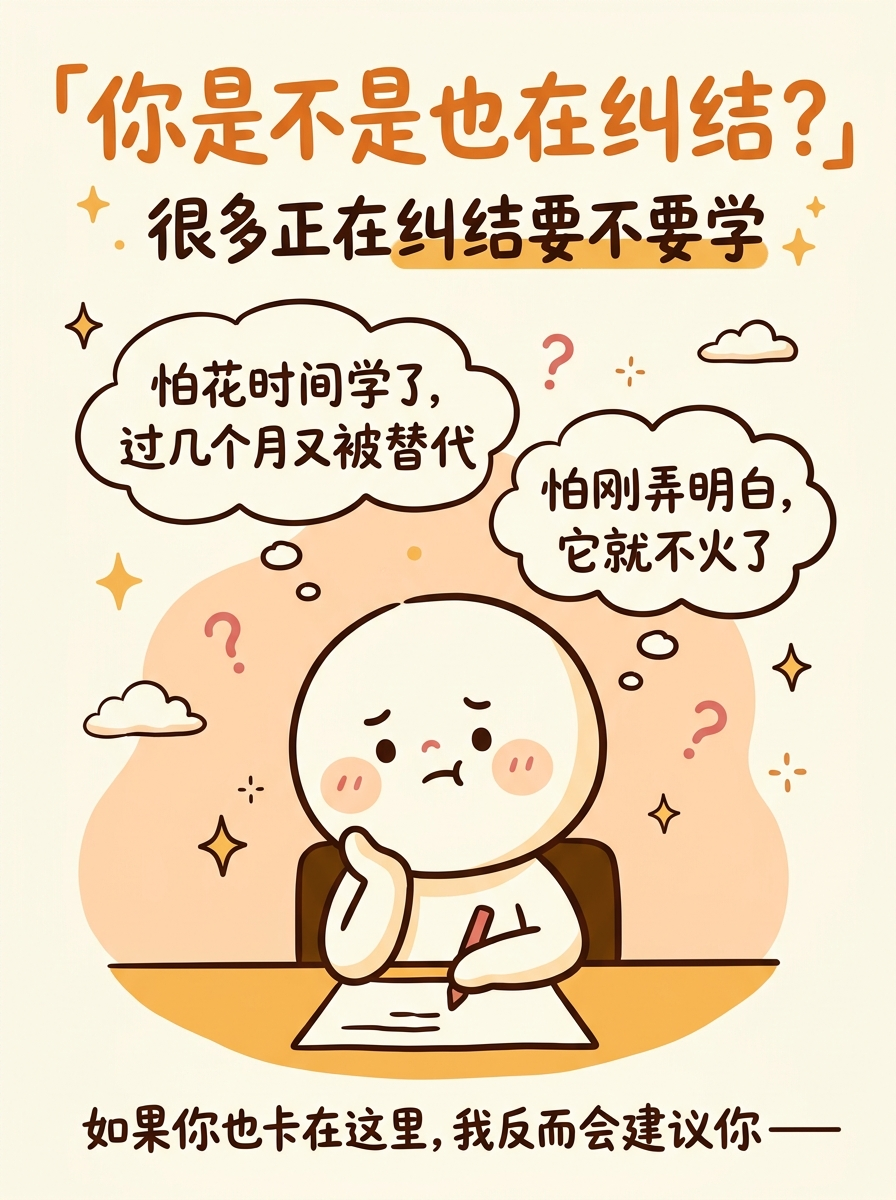
- Title: 「你是不是也在纠结?」
- Bubble 1: "怕花时间学了,过几个月又被替代"
- Bubble 2: "怕刚弄明白,它就不火了"
- Bottom: 如果你卡在这里,我的建议是——
**Visual Concept**:
同一个小人角色,坐在桌前托腮,头顶两个思维泡泡
每个泡泡里是一句焦虑的话
表情纠结但可爱,不是沮丧
底部一句引导语暗示"下一页有答案"
---
## Image 3 of 10
**Position**: Content
**Layout**: sparse
**Core Message**: 花一天去试试
**Slug**: try-one-day
**Filename**: 03-content-try-one-day.png
**Text Content**:
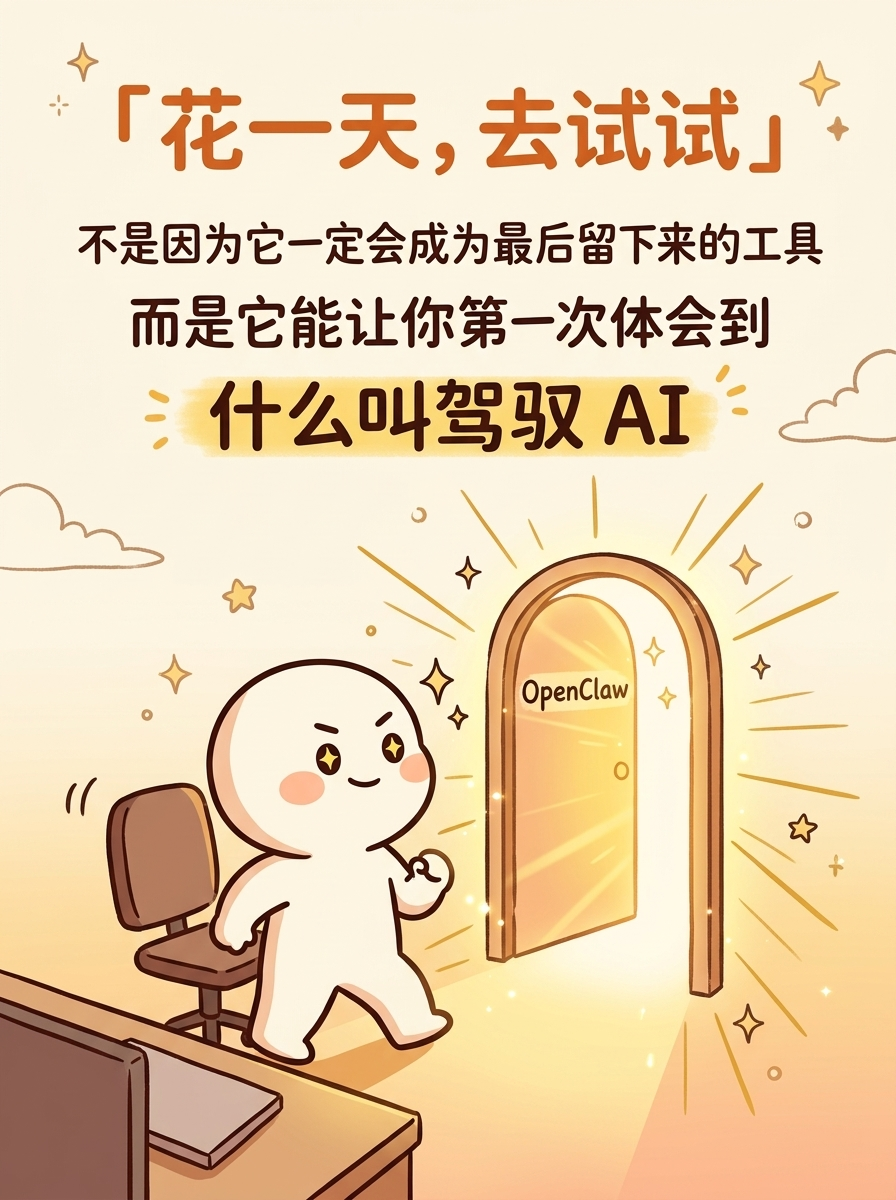
- Title: 「花一天,去试试」
- Subtitle: 不是因为它一定会成为最后留下来的工具
- Emphasis: 而是它能让你第一次体会到——什么叫"驾驭 AI"
**Visual Concept**:
小人站起来,眼神坚定,往前迈了一步
面前是一扇发着暖光的门,门上小字 "OpenClaw"
整体氛围从纠结切换到行动
金色暖光从门里透出来
---
## Image 4 of 10
**Position**: Content
**Layout**: balanced
**Core Message**: 大多数人还停留在"使用"AI
**Slug**: using-ai
**Filename**: 04-content-using-ai.png
**Text Content**:
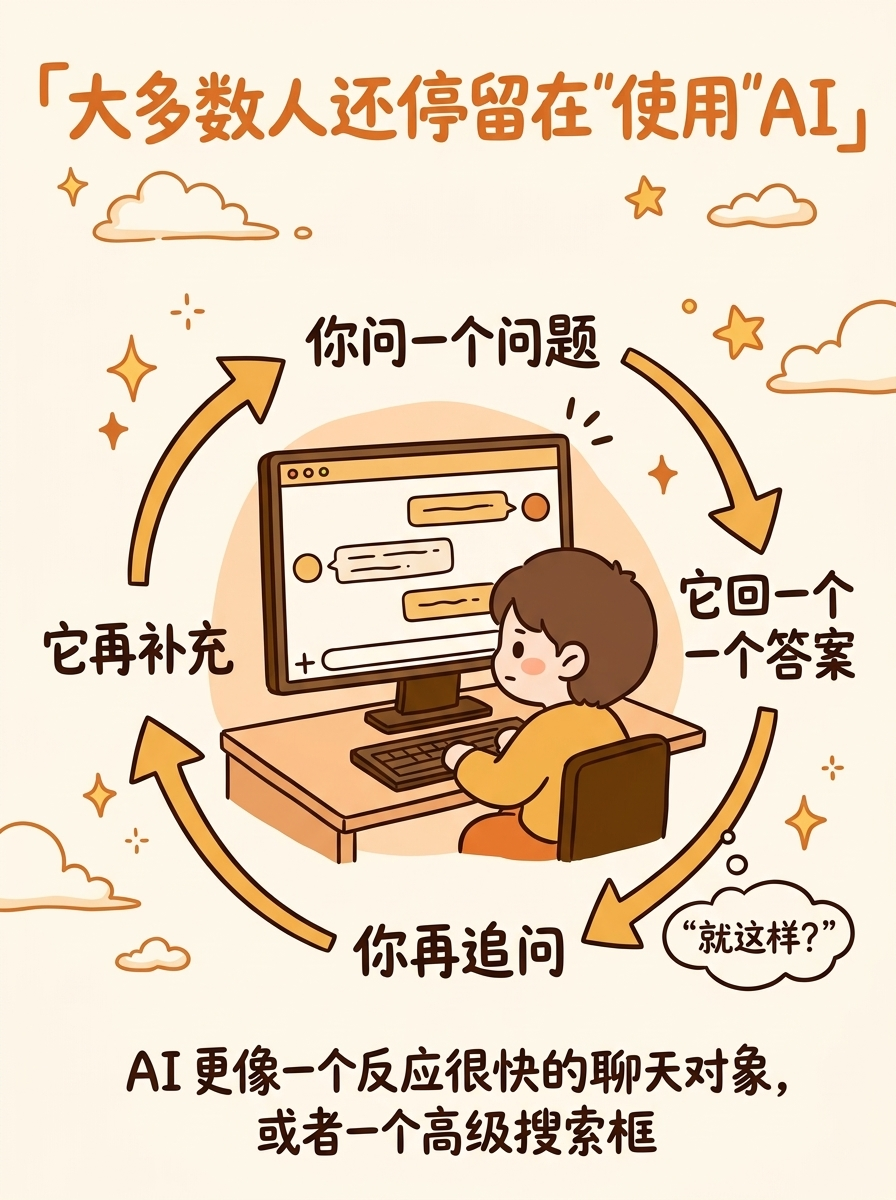
- Title: 「你现在可能还在"使用"AI」
- Scene description:
- 你问一个问题 →
- 它回一个答案 →
- 你再追问 →
- 它再补充
- Bottom note: 整个过程里,AI 更像一个高级搜索框
**Visual Concept**:
小人坐在电脑前,屏幕上是一个聊天窗口
画面展示"一来一回"的对话箭头
重复的循环感:问→答→问→答
色调偏灰/冷一点,暗示这是"现状"
右下角小字:但可以不只是这样
---
## Image 5 of 10
**Position**: Content
**Layout**: balanced
**Core Message**: OpenClaw 把这事往前推了一步
**Slug**: next-level
**Filename**: 05-content-next-level.png
**Text Content**:
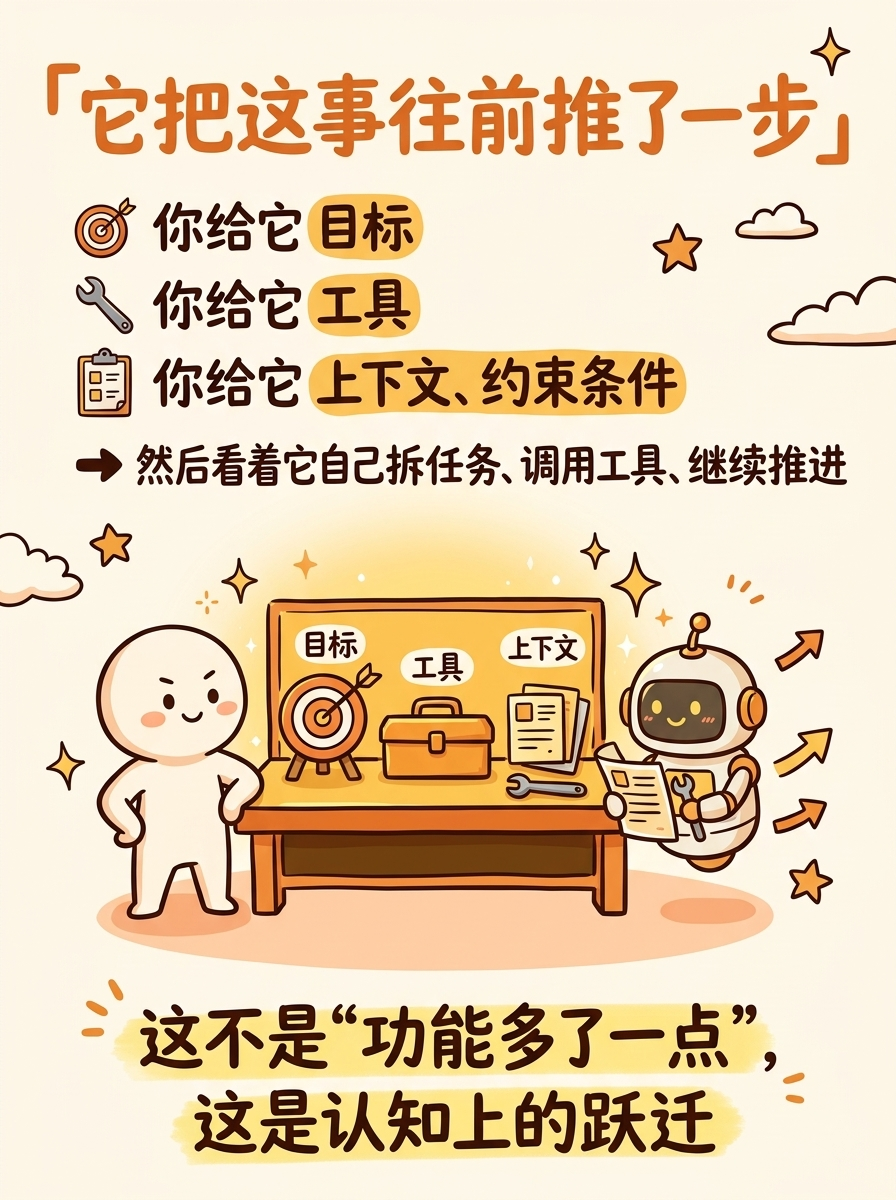
- Title: 「它把这事往前推了一步」
- Points:
- 你给它 目标
- 你给它 工具
- 你给它 上下文、约束条件
- 然后看着它自己拆任务、调用工具、继续推进
- Emphasis: 这不是"功能多了一点",这是认知上的跃迁
**Visual Concept**:
小人站在工作台旁,不再对着聊天框
旁边的 AI 小机器人在一个"工作台"上忙碌
台面上有:目标清单、工具图标、文件夹
小机器人在自主工作,小人在旁边观察
色调回到暖色,表示"进步"
---
## Image 6 of 10
**Position**: Content
**Layout**: comparison
**Core Message**: "使用"和"驾驭"的差别
**Slug**: use-vs-master
**Filename**: 06-content-use-vs-master.png
**Text Content**:
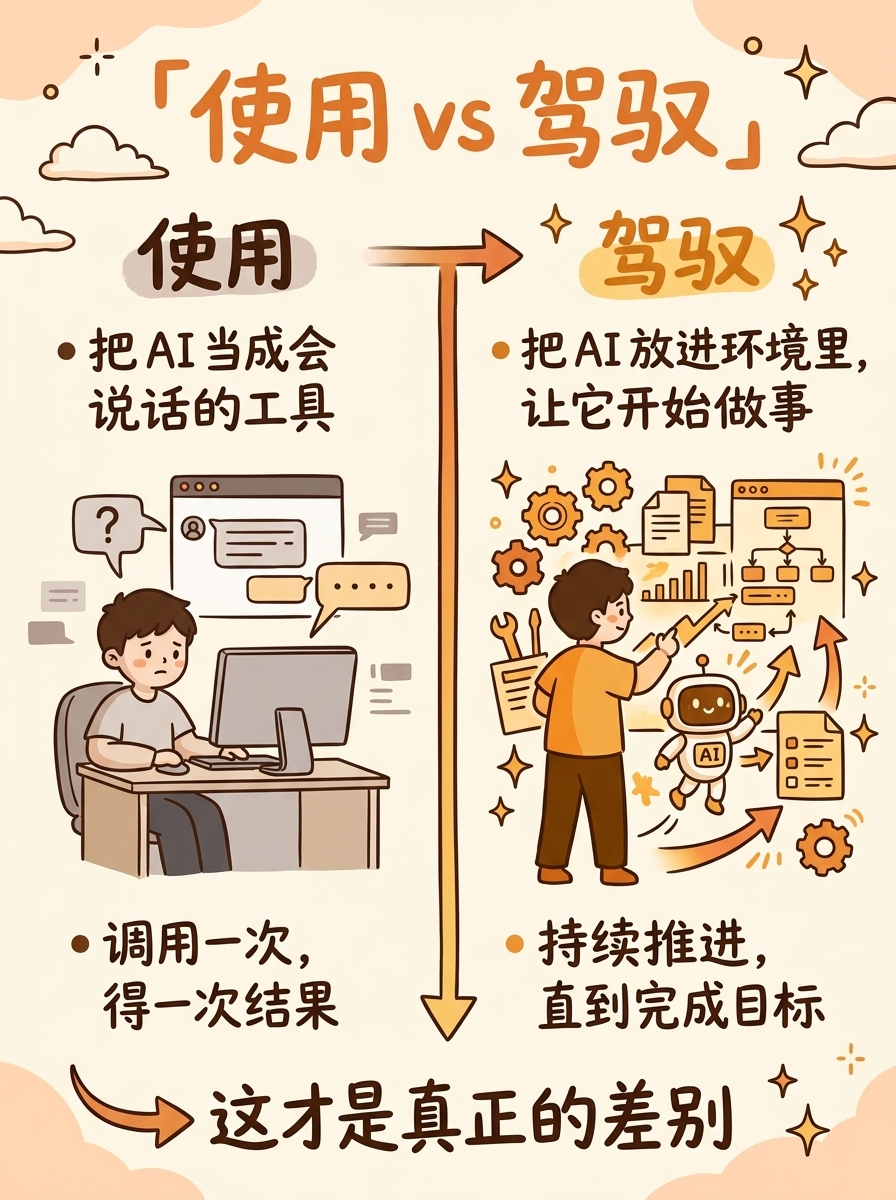
- Title: 「使用 vs 驾驭」
- Left (使用):
- 把 AI 当成会说话的工具
- 调用一次,得一次结果
- Right (驾驭):
- 把 AI 放进环境里,让它开始做事
- 持续推进,直到完成目标
- Bottom arrow: → 这才是真正的差别
**Visual Concept**:
左右对比分割
左:人对着屏幕对话(简单场景)
右:人在布置一个"工作环境",AI 在里面自主运转
右侧更明亮温暖,左侧偏灰
中间一道手绘渐变分割线
---
## Image 7 of 10
**Position**: Content
**Layout**: flow
**Core Message**: 上手 Agent 的三个瞬间
**Slug**: three-moments
**Filename**: 07-content-three-moments.png
**Text Content**:
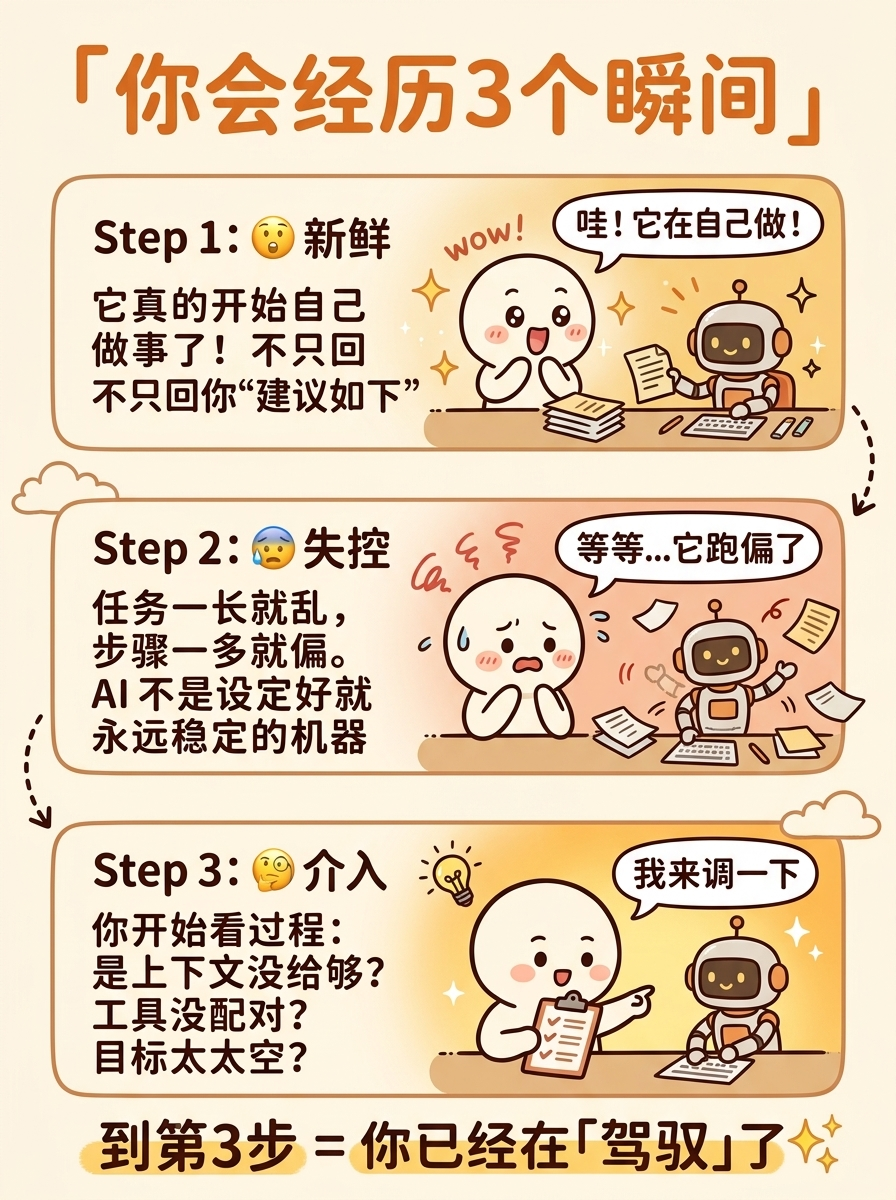
- Title: 「你会经历3个瞬间」
- Step 1: 😮 新鲜 — 它真的开始自己做事了!不只回你"建议如下"
- Step 2: 😰 失控 — 任务一长就乱,步骤一多就偏
- Step 3: 🧐 介入 — 你开始看过程:是上下文没给够?工具没配对?目标太大太空?
- Bottom: 到第3步 = 你已经在「驾驭」了 ✨
**Visual Concept**:
三格连环画:
格1:小人惊喜,AI 在认真工作
格2:小人慌张,AI 跑偏了
格3:小人冷静介入,调整方向
三格之间手绘虚线箭头过渡
---
## Image 8 of 10
**Position**: Content
**Layout**: list
**Core Message**: 驾驭的核心是三件事
**Slug**: three-keys
**Filename**: 08-content-three-keys.png
**Text Content**:
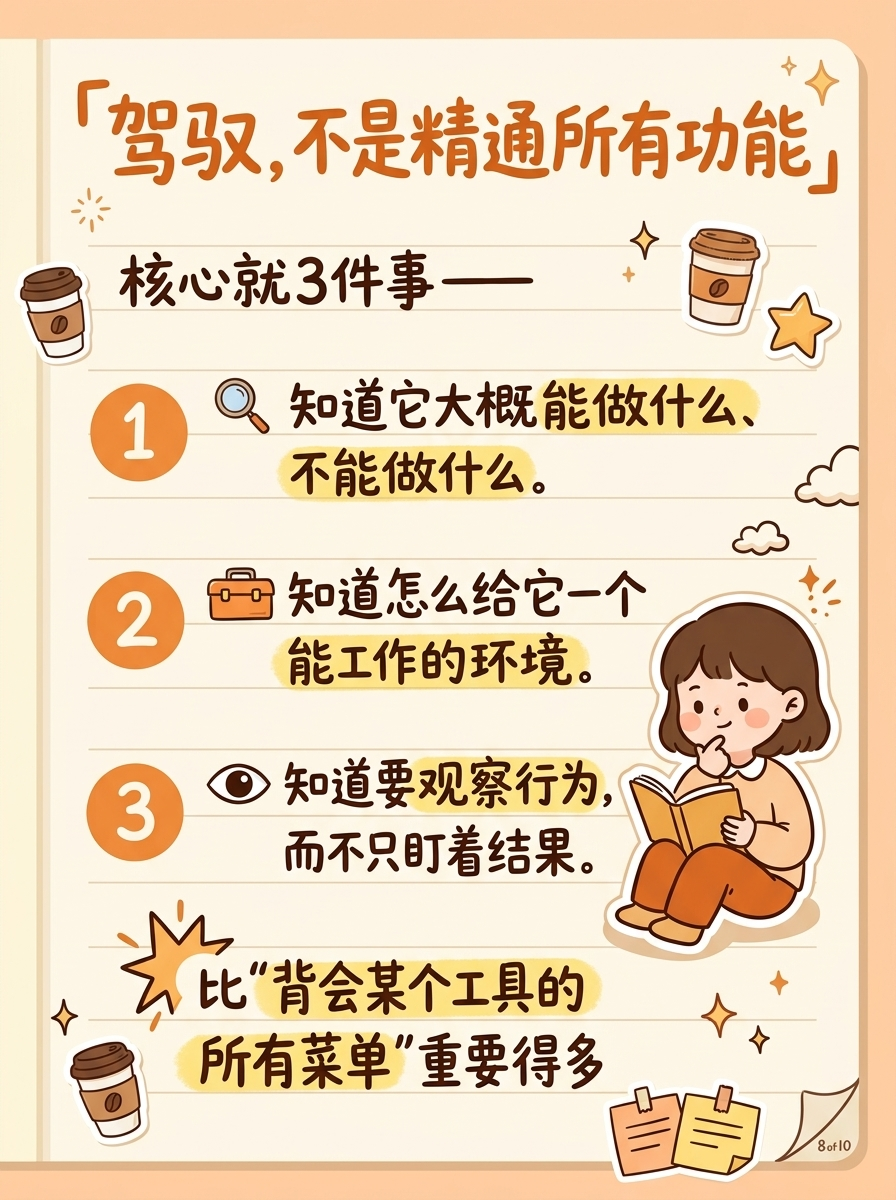
- Title: 「驾驭,不是精通所有功能」
- Subtitle: 核心就3件事——
- 1. 你知道它大概能做什么、不能做什么
- 2. 你知道怎么给它一个能工作的环境
- 3. 你知道要观察行为,而不只盯着结果
- Bottom emphasis: 比"背会所有菜单"重要得多
**Visual Concept**:
笔记本风格页面
三个大号数字标记每个要点
每个要点旁边有小图标(放大镜/工具箱/眼睛)
底部用高亮笔强调总结语
小人在旁边翻笔记本
---
## Image 9 of 10
**Position**: Content
**Layout**: list
**Core Message**: 不会过时的判断框架
**Slug**: framework
**Filename**: 09-content-framework.png
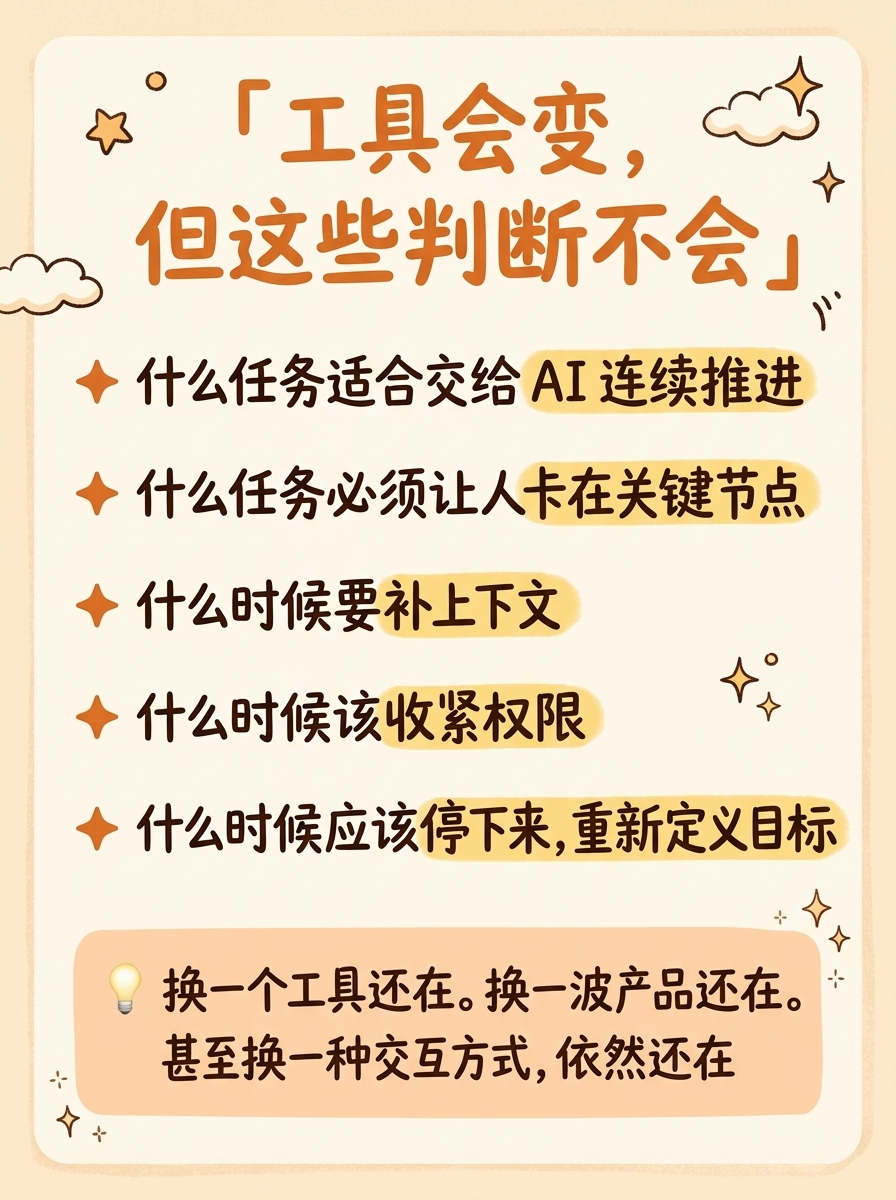
**Text Content**:
- Title: 「工具会变,但这些判断不会」
- Framework list:
- ✦ 什么任务适合交给 AI 连续推进
- ✦ 什么任务必须让人卡在关键节点
- ✦ 什么时候要补上下文
- ✦ 什么时候该收紧权限
- ✦ 什么时候应该停下来,重新定义目标
- Bottom box: 💡 换一个工具还在。换一波产品还在。甚至换一种交互方式,依然还在。
**Visual Concept**:
温暖的清单卡片风格
每条用暖橙星号标记
关键词用荧光笔高亮
底部圆角框里放总结金句
整体像一张值得收藏的"备忘录"
---
## Image 10 of 10
**Position**: Ending
**Layout**: sparse
**Core Message**: 起点 + 行动号召
**Slug**: ending
**Filename**: 10-ending.png
**Text Content**:
- Title: 「拿一天,先去体验」
- Three items:
- 1️⃣ 给它一个真实的小任务,不要只聊天
- 2️⃣ 观察它卡在哪,而不只看它答得漂不漂亮
- 3️⃣ 试完以后,再决定你要不要继续
- Quote: "AI 已经从回答问题,走到了参与做事。这一步看见了,就回不去了。"
**Visual Concept**:
温暖日落色背景
小人站在起跑线上,面朝远方
路上标着"起点",远处是温暖的光
底部三条行动建议 + 金句框
纯收尾感,不要互动引导,留一个安静的结尾
#1
cover
01-cover.png
Create a Xiaohongshu (Little Red Book) style infographic following these guidelines:
## Image Specifications
- **Type**: Infographic
- **Orientation**: Portrait (vertical)
- **Aspect Ratio**: 3:4
- **Style**: Hand-drawn illustration
## Core Principles
- Hand-drawn quality throughout - NO realistic or photographic elements
- Keep information concise, highlight keywords and core concepts
- Use ample whitespace for easy visual scanning
- Maintain clear visual hierarchy
## Text Style (CRITICAL)
- **ALL text MUST be hand-drawn style**
- Main titles should be prominent and eye-catching
- Key text should be bold and enlarged
- Use highlighter effects to emphasize keywords
- **DO NOT use realistic or computer-generated fonts**
## Language
- All text in Chinese (简体中文)
- Match punctuation style: "",。!
---
## Style: Warm
**Color Palette**:
- Primary: Warm orange (#ED8936), golden yellow (#F6AD55), terracotta (#C05621)
- Background: Cream (#FFFAF0), soft peach (#FED7AA)
- Accents: Deep brown (#744210), soft red (#E57373)
**Visual Elements**:
- Warm lighting effects, friendly decorations
- Stars and sparkles as decorative elements
- Cloud-like doodles, soft shapes
**Typography**:
- Friendly, rounded hand lettering
- Warm color accents on key words
- Star-burst emphasis on important concepts
---
## Layout: Sparse
**Information Density**: Low (1-2 key points)
**Whitespace**: 60-70%
---
## Content
**Position**: Cover (Page 1 of 10)
**Core Message**: OpenClaw 不是终点,是起点
**Text Content**:
- Title: 「OpenClaw 不是终点,是起点」(large, prominent, warm orange hand-drawn text, centered)
- No tags or subtitles — title only, maximum impact
**Visual Concept**:
A warm, hopeful cover image:
- Cream/peach gradient background
- Center: A cute round-headed hand-drawn character standing at the beginning of a road/path
- At the character's feet: a small signpost or marker that says "起点"
- The road stretches ahead into a warm golden glow (like sunrise/golden hour)
- In the distance along the path: faint, abstract outlines of tech/AI elements (gears, nodes, circuits) — very subtle
- The character looks forward with a calm, curious expression
- Large hand-drawn title text dominates the upper portion
- Small decorative elements: sparkles, a few clouds, subtle stars
- Overall mood: warm, hopeful, forward-looking — the beginning of a journey
- The emphasis is on "这是起点" — starting, not ending
---
Please generate the infographic based on the specifications above.
#2
content anxiety
02-content-anxiety.png
Create a Xiaohongshu (Little Red Book) style infographic following these guidelines:
## Image Specifications
- **Type**: Infographic, **Orientation**: Portrait (vertical), **Aspect Ratio**: 3:4, **Style**: Hand-drawn illustration
## Core Principles
- Hand-drawn quality throughout - NO realistic or photographic elements
- ALL text MUST be hand-drawn style, DO NOT use computer-generated fonts
- Language: Chinese (简体中文)
## Style: Warm
**Color Palette**: Primary: Warm orange (#ED8936), golden yellow (#F6AD55). Background: Cream (#FFFAF0), soft peach (#FED7AA). Accents: Deep brown (#744210), soft red (#E57373).
**Visual**: Warm lighting, stars/sparkles decorations, cloud doodles, friendly rounded hand lettering.
---
## Layout: Sparse
Low density, 60-70% whitespace.
## Content
**Position**: Content (Page 2 of 10)
**Core Message**: 很多人正在纠结要不要学
**Text Content**:
- Title: 「你是不是也在纠结?」(warm orange, large)
- Thought bubble 1: "怕花时间学了,过几个月又被替代"
- Thought bubble 2: "怕刚弄明白,它就不火了"
- Bottom hint: 如果你也卡在这里,我反而会建议你——
**Visual Concept**:
The same cute round-headed character from the cover, now sitting at a desk with chin resting on hand, looking contemplative (not sad, just thinking).
Above the character: two thought bubbles, each containing one worry sentence in hand-drawn text.
The character's expression is cute-worried: slightly furrowed brows, small curved mouth.
Cream background, warm but slightly muted to convey "thinking/uncertainty".
Bottom of image: a teasing line in smaller text that hints at the next page.
Decorative: small question marks floating, a few clouds.
---
Please generate the infographic based on the specifications above.
#3
content try one day
03-content-try-one-day.png
Create a Xiaohongshu (Little Red Book) style infographic following these guidelines:
## Image Specifications
- **Type**: Infographic, **Orientation**: Portrait (vertical), **Aspect Ratio**: 3:4, **Style**: Hand-drawn illustration
## Core Principles
- Hand-drawn quality throughout - NO realistic or photographic elements
- ALL text MUST be hand-drawn style, DO NOT use computer-generated fonts
- Language: Chinese (简体中文)
## Style: Warm
**Color Palette**: Primary: Warm orange (#ED8936), golden yellow (#F6AD55). Background: Cream (#FFFAF0), soft peach (#FED7AA). Accents: Deep brown (#744210), soft red (#E57373).
**Visual**: Warm lighting, stars/sparkles decorations, cloud doodles, friendly rounded hand lettering.
---
## Layout: Sparse
## Content
**Position**: Content (Page 3 of 10)
**Core Message**: 花一天去试试,不是因为它会留下来,而是你能第一次体会"驾驭 AI"
**Text Content**:
- Title: 「花一天,去试试」(large, warm orange, centered)
- Subtitle line 1: 不是因为它一定会成为最后留下来的工具
- Subtitle line 2 (emphasis, larger): 而是它能让你第一次体会到
- Key phrase (biggest, golden highlight): 什么叫"驾驭 AI"
**Visual Concept**:
The same cute round-headed character from previous images, now standing up from the desk with a determined look.
In front of the character: a glowing doorway/portal, radiating warm golden light.
On the door frame: small text "OpenClaw" in hand-drawn style.
The character is taking a step forward toward the door.
The transition from the previous "contemplation" scene to "action" — the mood shifts from uncertain to hopeful.
Warm golden rays emanate from the doorway.
Background: cream to golden gradient.
The key phrase "什么叫驾驭 AI" should be prominently displayed with a golden highlighter/glow effect.
Sparkles around the doorway, small stars.
---
Please generate the infographic based on the specifications above.
#4
content using ai
04-content-using-ai.png
Create a Xiaohongshu (Little Red Book) style infographic following these guidelines:
## Image Specifications
- **Type**: Infographic, **Orientation**: Portrait (vertical), **Aspect Ratio**: 3:4, **Style**: Hand-drawn illustration
## Core Principles
- Hand-drawn quality throughout - NO realistic or photographic elements
- ALL text MUST be hand-drawn style, DO NOT use computer-generated fonts
- Language: Chinese (简体中文)
## Style: Warm
**Color Palette**: Primary: Warm orange (#ED8936), golden yellow (#F6AD55). Background: Cream (#FFFAF0), soft peach (#FED7AA). Accents: Deep brown (#744210).
**Visual**: Warm lighting, stars/sparkles, cloud doodles, friendly rounded hand lettering.
---
## Layout: Balanced (3-4 points, 40-50% whitespace)
## Content
**Position**: Content (Page 4 of 10)
**Core Message**: 你现在可能还停留在"使用"AI
**Text Content**:
- Title: 「大多数人还停留在"使用"AI」(warm orange, top)
- Scene illustration showing the cycle:
- 你问一个问题 →
- 它回一个答案 →
- 你再追问 →
- 它再补充
- Bottom note: AI 更像一个反应很快的聊天对象,或者一个高级搜索框
**Visual Concept**:
The cute character sitting at a desk, facing a computer screen.
On the screen: a simple chat interface with back-and-forth messages (text bubbles alternating left and right).
Around the scene: circular arrows showing the repetitive cycle of question → answer → question → answer.
The mood is slightly monotone — not sad, but routine/mundane.
Color scheme: slightly muted warm tones (less vibrant than other pages) to convey "this is the current state, not the goal."
A small thought bubble from the character: "就这样?" (That's it?)
Bottom text in smaller hand-drawn font.
---
Please generate the infographic based on the specifications above.
#5
content next level
05-content-next-level.png
Create a Xiaohongshu (Little Red Book) style infographic following these guidelines:
## Image Specifications
- **Type**: Infographic, **Orientation**: Portrait (vertical), **Aspect Ratio**: 3:4, **Style**: Hand-drawn illustration
## Core Principles
- Hand-drawn quality throughout - NO realistic or photographic elements
- ALL text MUST be hand-drawn style, DO NOT use computer-generated fonts
- Language: Chinese (简体中文)
## Style: Warm
**Color Palette**: Primary: Warm orange (#ED8936), golden yellow (#F6AD55). Background: Cream (#FFFAF0), soft peach (#FED7AA). Accents: Deep brown (#744210).
**Visual**: Warm lighting, stars/sparkles, cloud doodles, friendly rounded hand lettering.
---
## Layout: Balanced
## Content
**Position**: Content (Page 5 of 10)
**Core Message**: OpenClaw 把这件事往前推了一步 — 给目标、工具、上下文
**Text Content**:
- Title: 「它把这事往前推了一步」(warm orange, large)
- Points (with small icons):
- 🎯 你给它 目标
- 🔧 你给它 工具
- 📋 你给它 上下文、约束条件
- → 然后看着它自己拆任务、调用工具、继续推进
- Bottom emphasis (larger, highlighted): 这不是"功能多了一点",这是认知上的跃迁
**Visual Concept**:
The cute character now standing beside a "workbench" or "work station."
On the workbench: clearly labeled items — a target/bullseye (目标), a toolbox (工具), a stack of documents/context cards (上下文).
Next to the workbench: a small AI robot character actively working — it's reading documents, using tools, making progress.
Small arrows showing forward movement/progress from the robot.
The mood is energetic and vibrant — warm golden colors, bright.
The contrast with the previous "monotone" page should be clear: this page feels alive and forward-moving.
Bottom text with golden highlighter glow effect.
Sparkles around the workbench area.
---
Please generate the infographic based on the specifications above.
#6
content use vs master
06-content-use-vs-master.png
Create a Xiaohongshu (Little Red Book) style infographic following these guidelines:
## Image Specifications
- **Type**: Infographic, **Orientation**: Portrait (vertical), **Aspect Ratio**: 3:4, **Style**: Hand-drawn illustration
## Core Principles
- Hand-drawn quality throughout - NO realistic or photographic elements
- ALL text MUST be hand-drawn style, DO NOT use computer-generated fonts
- Language: Chinese (简体中文)
## Style: Warm
**Color Palette**: Primary: Warm orange (#ED8936), golden yellow (#F6AD55). Background: Cream (#FFFAF0), soft peach (#FED7AA). Accents: Deep brown (#744210).
**Visual**: Warm lighting, stars/sparkles, cloud doodles, friendly rounded hand lettering.
---
## Layout: Comparison (left vs right split)
## Content
**Position**: Content (Page 6 of 10)
**Core Message**: "使用"和"驾驭"的差别
**Text Content**:
- Title: 「使用 vs 驾驭」(top center, warm orange)
- Left column (labeled 使用):
- 把 AI 当成会说话的工具
- 调用一次,得一次结果
- Right column (labeled 驾驭):
- 把 AI 放进环境里,让它开始做事
- 持续推进,直到完成目标
- Bottom: → 这才是真正的差别
**Visual Concept**:
Clear left-right comparison layout:
Left side (slightly muted/gray tones):
- Character sitting at desk, simple chat interface on screen
- Single question mark → single answer bubble
- Simple, flat, routine feel
Right side (vibrant warm tones):
- Character standing at a workspace, surrounded by tools and documents
- A small AI robot actively working, with progress arrows showing forward movement
- Multiple connected tasks, energy and dynamism
Center dividing line: a hand-drawn gradient line or arrow pointing from left to right
Bottom: a large hand-drawn arrow with "这才是真正的差别" text
The right side should clearly feel more alive, warm, and energetic than the left.
Cream background overall with warm gradient on the right side.
---
Please generate the infographic based on the specifications above.
#7
content three moments
07-content-three-moments.png
Create a Xiaohongshu (Little Red Book) style infographic following these guidelines:
## Image Specifications
- **Type**: Infographic, **Orientation**: Portrait (vertical), **Aspect Ratio**: 3:4, **Style**: Hand-drawn illustration
## Core Principles
- Hand-drawn quality throughout - NO realistic or photographic elements
- ALL text MUST be hand-drawn style, DO NOT use computer-generated fonts
- Language: Chinese (简体中文)
## Style: Warm
**Color Palette**: Primary: Warm orange (#ED8936), golden yellow (#F6AD55). Background: Cream (#FFFAF0), soft peach (#FED7AA). Accents: Deep brown (#744210), soft red (#E57373).
**Visual**: Warm lighting, stars/sparkles, cloud doodles, friendly rounded hand lettering.
---
## Layout: Flow (3 connected steps, vertical)
## Content
**Position**: Content (Page 7 of 10)
**Core Message**: 上手 Agent 你会经历3个瞬间
**Text Content**:
- Title: 「你会经历3个瞬间」(warm orange, large, top)
- Step 1: 😮 新鲜 — 它真的开始自己做事了!不只回你"建议如下"
- Step 2: 😰 失控 — 任务一长就乱,步骤一多就偏。AI 不是设定好就永远稳定的机器
- Step 3: 🧐 介入 — 你开始看过程:是上下文没给够?工具没配对?目标太大太空?
- Bottom note (with sparkle): 到第3步 = 你已经在「驾驭」了 ✨
**Visual Concept**:
A vertical 3-panel comic strip with connected flow:
Panel 1 (top third): The cute round-headed character with wide surprised happy eyes, mouth open in "wow!". Next to the character, a small AI robot is actively working — sorting papers, typing, making progress. Sparkle effects around them. Light golden warm background. Speech bubble: "哇!它在自己做!"
Panel 2 (middle third): Same character now looking worried and flustered. Small sweat drops. The AI robot is going in different directions, papers flying, tasks scattered. Red squiggly lines indicating chaos. Background shifts to slightly warmer/anxious tone. Speech bubble: "等等...它跑偏了"
Panel 3 (bottom third): Character is now calm and focused, holding a clipboard/checklist, observing the AI robot and pointing/directing. A lightbulb above the character's head. The AI robot is back on track. Background: warm golden glow, most vibrant of the three. Speech bubble: "我来调一下"
Between panels: hand-drawn dotted arrows pointing downward.
Each panel in a rounded rectangle frame with soft corners.
Bottom: emphasis text with golden highlight.
---
Please generate the infographic based on the specifications above.
#8
content three keys
08-content-three-keys.png
Create a Xiaohongshu (Little Red Book) style infographic following these guidelines:
## Image Specifications
- **Type**: Infographic, **Orientation**: Portrait (vertical), **Aspect Ratio**: 3:4, **Style**: Hand-drawn illustration
## Core Principles
- Hand-drawn quality throughout - NO realistic or photographic elements
- ALL text MUST be hand-drawn style, DO NOT use computer-generated fonts
- Language: Chinese (简体中文)
## Style: Warm
**Color Palette**: Primary: Warm orange (#ED8936), golden yellow (#F6AD55). Background: Cream (#FFFAF0), soft peach (#FED7AA). Accents: Deep brown (#744210).
**Visual**: Warm lighting, stars/sparkles, cloud doodles, friendly rounded hand lettering.
---
## Layout: List (numbered items with icons)
## Content
**Position**: Content (Page 8 of 10)
**Core Message**: 驾驭不等于精通,核心就3件事
**Text Content**:
- Title: 「驾驭,不是精通所有功能」(warm orange, large)
- Subtitle: 核心就3件事——
- Item 1: 🔍 知道它大概能做什么、不能做什么
- Item 2: 🔧 知道怎么给它一个能工作的环境
- Item 3: 👁️ 知道要观察行为,而不只盯着结果
- Bottom emphasis (highlighted): 比"背会某个工具的所有菜单"重要得多
**Visual Concept**:
Notebook/journal page style:
- Cream background with subtle lined notebook texture
- Three large numbered items (1, 2, 3) in warm orange circles
- Each item has a small hand-drawn icon: magnifying glass, toolbox, eye
- The cute character on the right side, sitting and reading a notebook, looking thoughtful
- Key phrases in each item highlighted with soft yellow/golden highlighter effect
- Bottom emphasis sentence with a star-burst decoration
- Small sticker-like decorations: coffee cup, star, mini post-it notes
- Overall feel: a cozy personal journal page with important notes
---
Please generate the infographic based on the specifications above.
#9
content framework
09-content-framework.png
Create a Xiaohongshu (Little Red Book) style infographic following these guidelines:
## Image Specifications
- **Type**: Infographic, **Orientation**: Portrait (vertical), **Aspect Ratio**: 3:4, **Style**: Hand-drawn illustration
## Core Principles
- Hand-drawn quality throughout - NO realistic or photographic elements
- ALL text MUST be hand-drawn style, DO NOT use computer-generated fonts
- Language: Chinese (简体中文)
## Style: Warm
**Color Palette**: Primary: Warm orange (#ED8936), golden yellow (#F6AD55). Background: Cream (#FFFAF0), soft peach (#FED7AA). Accents: Deep brown (#744210).
**Visual**: Warm lighting, stars/sparkles, cloud doodles, friendly rounded hand lettering.
---
## Layout: List (5 items with star markers)
## Content
**Position**: Content (Page 9 of 10)
**Core Message**: 不会过时的判断框架
**Text Content**:
- Title: 「工具会变,但这些判断不会」(warm orange, large)
- Star-marked list:
- ✦ 什么任务适合交给 AI 连续推进
- ✦ 什么任务必须让人卡在关键节点
- ✦ 什么时候要补上下文
- ✦ 什么时候该收紧权限
- ✦ 什么时候应该停下来,重新定义目标
- Bottom box with golden background: 💡 换一个工具还在。换一波产品还在。甚至换一种交互方式,依然还在。
**Visual Concept**:
A warm "memo card" or "knowledge card" style:
- Cream background with subtle texture
- The title at top in large warm orange hand-drawn text
- Five items listed vertically, each with a warm orange star (✦) bullet
- Key phrases in each item highlighted with golden/yellow highlighter effect
- At the bottom: a rounded rectangle box with soft peach background containing the summary quote
- Small sparkle decorations around the box
- This should feel practical and valuable — like a memo worth keeping
- Clean and readable, with good spacing between items
- Do NOT include any "收藏" text, save icons, or bookmark hints
---
Please generate the infographic based on the specifications above.
#10
ending
10-ending.png
Create a Xiaohongshu (Little Red Book) style infographic following these guidelines:
## Image Specifications
- **Type**: Infographic, **Orientation**: Portrait (vertical), **Aspect Ratio**: 3:4, **Style**: Hand-drawn illustration
## Core Principles
- Hand-drawn quality throughout - NO realistic or photographic elements
- ALL text MUST be hand-drawn style, DO NOT use computer-generated fonts
- Language: Chinese (简体中文)
## Style: Warm
**Color Palette**: Primary: Warm orange (#ED8936), golden yellow (#F6AD55). Background: Cream (#FFFAF0) → warm sunset (#ED8936).
**Visual**: Warm lighting, stars/sparkles, friendly rounded hand lettering.
---
## Layout: Sparse (maximum whitespace, maximum impact — like a closing page of a book)
## Content
**Position**: Ending (Page 10 of 10)
**Core Message**: 升华收尾 — 这才是最值得学的地方
**Text Content**:
- Main quote (large, centered, the biggest text on the page):
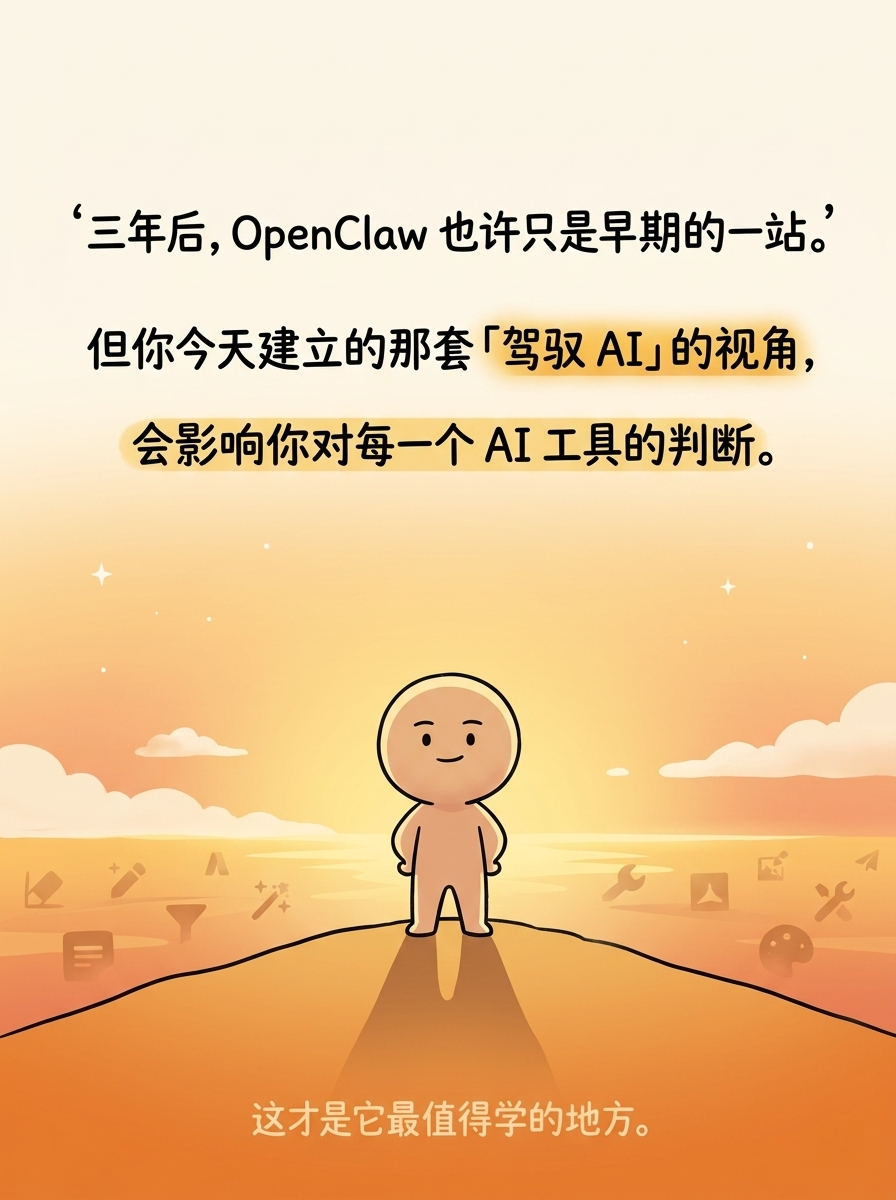
"三年后,OpenClaw 也许只是早期的一站。"
- Second line (still large):
"但你今天建立的那套「驾驭 AI」的视角,"
- Third line (emphasis, golden highlight):
"会影响你对每一个 AI 工具的判断。"
- Bottom final line (smaller, lighter, contemplative):
这才是它最值得学的地方。
**Visual Concept**:
A powerful, contemplative closing image — like the last page of a meaningful book:
- Background: a warm sunset gradient from cream (top) through golden peach to warm orange (bottom), like golden hour light
- Center composition: The cute round-headed character standing on a hill/elevated point, looking out at a vast horizon
- The horizon stretches wide — warm golden light, abstract shapes of various tools/icons fading into the distance (representing future AI tools that haven't been invented yet)
- The character's posture is calm, confident — not walking, just standing and looking forward with understanding
- The quote text is arranged in the upper portion, flowing downward naturally
- The key phrase "驾驭 AI 的视角" should have a subtle golden glow/highlight
- The final line at the very bottom is in smaller, quieter hand-drawn text — almost like a whisper
- Mood: elevated, contemplative, warm — the reader should feel they've gained something
- NO CTA, NO interaction prompts, NO hashtags — just the pure closing statement
- Sparse decorations: a few distant stars, soft clouds on the horizon
- This should feel like a mic-drop ending — quiet but powerful
---
Please generate the infographic based on the specifications above.